

Not too long ago, the word “video” in social media meant one thing: a rectangular, elongated video that was shot in horizontal mode.
But now, thanks to the rise of mobile devices and social platforms like Snapchat and Instagram, vertical and square videos are becoming the new norm.
If you’re looking to jump on this trend and make your own square videos, you’re in luck.
There are a number of different tools out there that can help you do just that.

In this article, we’ll show you some of the best.
What is a Square Video?
As you probably know, social media platforms like Facebook, Instagram, and Twitter all display videos in a square format.
You might be wondering why these platforms use square videos, and the answer is simple: because it looks better!
A square video is a video that is cropped to be a perfect square, with no black bars on the top or bottom.
Square videos are great for social media because they take up more space in the feed than rectangular videos.
And are more likely to be seen and interacted with.
The Benefits of Square Videos
Your business can benefit in many ways by creating square videos for social media.

Below, we’ll explain exactly how.
-
For one, you’ll be able to take advantage of the fact that people are more likely to watch a video all the way through if it’s square-shaped. That’s because the way we consume video content has changed dramatically in recent years, thanks to the rise of mobile devices.
People are now used to watching short, snackable videos that they can easily consume on their phones.

And since most people hold their phones vertically, square videos are much easier to watch without having to turn your phone sideways.
-
Additionally, square videos take up 78% more real estate in people’s News Feeds on Facebook than landscape videos. This makes them more likely to catch people’s attention as they scroll through their feed.
Creating square videos also allows you to take advantage of the fact that platforms like Facebook give preferential treatment to natively-uploaded videos over those that are linked from YouTube or other third-party sites.

That means your videos are more likely to be seen by your target audience if you upload them directly onto Facebook rather than just sharing a link.
A YouTube video link added to Facebook has virtually no benefit these days.
While it may do no harm, the algorithm will ensure few people see it.

And the video probably will not make sense if viewed on a social network it was not intended for.
So, there’s point telling a person to like and subscribe if the video is on Instagram or Pinterest.
-
Finally, creating square video content gives you more options when it comes to promoted posts and ads on Facebook. That’s because Facebook offers more ad formats for square videos than for landscape videos, giving you a better chance of creating an effective ad campaign that will reach your target audience.
How to Make Square Videos
Now that we know what square videos are and why you need to create them, the next step is figuring out how to actually make one.

The good news is that creating square videos isn’t difficult.
Step 1: Choose the Right Video Format
Not all video formats are created equal.
In order to make a square video, you’ll need to choose the right format for the job.

The most popular format for square videos is MP4, which is a format that can be played on most devices and edited with most video editing software.
Step 2: Edit Your Video
Once you’ve chosen the right format, you’ll need to make sure your video is the correct size.
Square videos are typically 600 x 600 pixels, which is a 1:1 aspect ratio.
There are a few different ways to make square videos.
You can either shoot your video in square format to begin with.

Or you can crop a rectangular video into a square.
If you want to crop a video, there are a few different tools that you can use.
You can use an online tool like Kapwing, which is an easy-to-use online editor that doesn’t require any downloads or registration.
Alternatively, you can use more complex video editing software like Adobe Premiere Pro or Final Cut Pro.
If you’re using Premiere Pro or another software that requires rendering, be sure to render your file as an MP4 so that it can be played on all devices.
Step 3: Add Text Overlays or Call-to-Actions
If you want to add text overlays or call-to-actions to your video, you can do so in the previous editing process.

To add text overlays:
- Open the video in the editing software and select the “Add Text” option.
- Choose the font, color, and placement of the text.
- Enter the text that you want to appear in the overlay.
- Save your changes and export the video.
Once your file is edited and exported as an MP4, you’re ready to upload it to social media!
7 Tools to Help You Make Square Videos
There are a number of tools that can help you make square videos for social media, regardless of whether you’re a professional editor or just getting started.
Here are seven of the best:
1. Kapwing
Kapwing is a free online video editing tool that’s beloved by creators for its simple interface, ease of use, and quality of output.
With Kapwing, you can make videos of any length and format – square, vertical, or horizontal – for any social media platform.
You can upload videos from your computer or import them from YouTube, Vimeo, or Facebook.

Kapwing also lets you trim, crop, and resize your videos, as well as add text, subtitles, overlays, and more.
2. Adobe Premiere Pro
Adobe Premiere Pro is a professional-grade video editing program that can help you create square videos for social media.
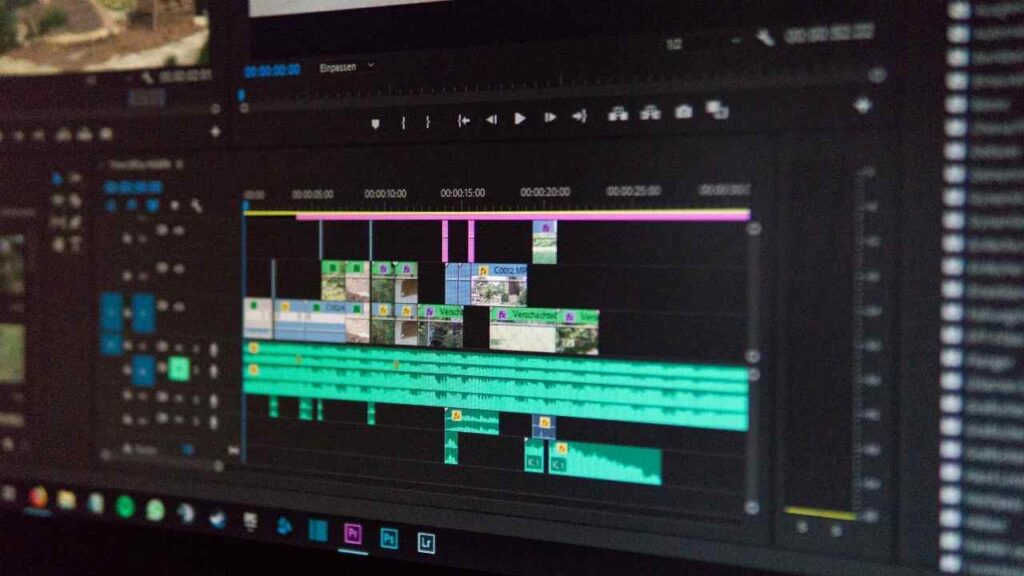
With Premiere Pro, you can easily crop your video to a 1:1 aspect ratio and export it for use on square social platforms like Instagram.
The program has a free trial period, so you can try it out before you decide whether or not you want to purchase it.
3. Final Cut Pro
Final Cut Pro is another excellent option for creating square videos for social media.
Like Adobe Premiere Pro, Final Cut Pro provides an easy way to crop your footage to a 1:1 aspect ratio.
And if you’re new to the software, there are plenty of tutorials available online to help you get started.
It also has a free trial period, so you can test it out before deciding whether or not to buy it.
4. iMovie
iMovie is a great option for those who are just getting started with video editing.
The software is built into every Mac and is designed to be user-friendly and accessible for beginners.

While iMovie doesn’t offer as many features as some of the other options on this list, it’s still a great tool for creating simple square videos for social media.
5. Splice
Splice is an app developed by GoPro that’s designed specifically for mobile video editing.
With Splice, you can easily trim, add transitions, and apply filters to your footage — all from your phone or tablet.

And best of all, Splice is completely free to download and use.
6. InShot
InShot is another great app for mobile video editing that can be used to create square videos for social media platforms like Instagram and Facebook.
With InShot, you can:
- trim your footage
- add text overlays
- and even control the playback speed of your videos
-all from your phone or tablet.
Like Splice, InShot is also completely free to download and use.
7. Avidemux
Avidemux is a free, open-source video editing program that can be used to crop videos into squares.
It is available for Windows, macOS, and Linux operating systems.
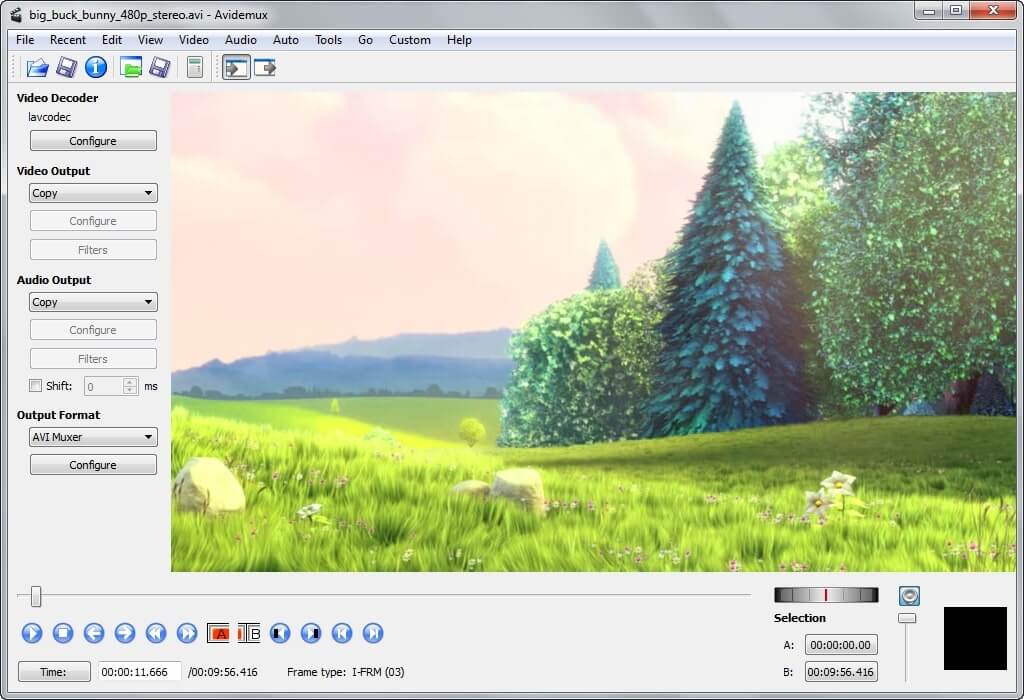
Once you’ve cropped your video into a perfect square using one of the tools above, you’re ready to post it on social media!
How to get Social Media Videos Pre-Made
Here at Video Content PLR, we provide people square videos to use as their own.
So, if you do not want or cannot make your own, consider joining.

For each of our PLR packs, users get 20 videos.
10 of them are designed for Facebook and Twitter.
Meanwhile, the other 10 are designed for Pinterest.
And, all of the square videos have bars at the top and bottom
What’s more, we have even attached end screens with the appropriate verbiage.
So when you use these videos on Pinterest, for example, the end screen says ‘click the link to the right’.

Check out our PLR packages with square videos here:

Conclusion
As you can see, creating square videos for social media is a simple process.
With the right tools, you can easily create stunning square videos that will grab attention and help you stand out from the crowd.
Ultimately, the best way to find the right tool for your needs is to experiment with a few different options.
Then see which one gives you the best results.
So, get out there and start creating!