
When it comes to making money with a blog, one of the most common strategies is to form partnerships with other brands and businesses to create sponsored content.
This is when a company pays a blogger to write about their goods or services.
Or pays them to add banners, do shoutouts etc.
Many times, before a brand or company will agree to partner with you, they will first ask for some information about your blog.
This information may include things like your:
- reach
- subscription count
- followers on social media
- demographics
- and other similar things.
They do this to determine whether or not you have the level of exposure and influence that they anticipate gaining from working with you.
If they are going to pay you, they obviously need something in return, and that something is results.
Want to be able to easily and quickly share information with a potential business partner?

Then you may want to prepare a document that contains all of the information that a company could possibly need.
This type of document is known as a media kit.
In the following blog post, we will look at making a media kit for bloggers.
And how they can entice prospective business partners or customers.
What is a Blogger Media Kit?
A media kit for bloggers is a PDF document, that shows:
- basic site and creator information
- how many people subscribe to and follow the site
- audience demographics
- what the site offers
- details of potential deals
- contact information
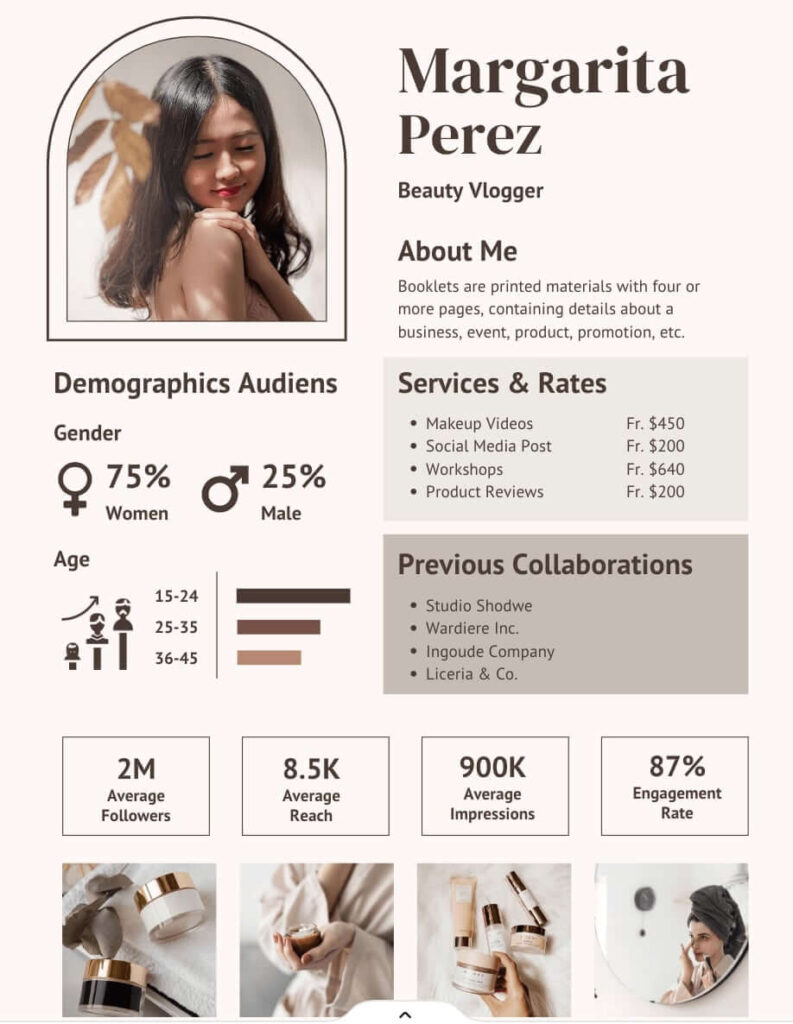
The information can help you find sponsors and advertisers for your blog.
Your media kit is what potential brand partners will use to decide whether or not to give you money.
So, it goes without saying that you need to make a media kit that will blow your potential brand partners away!
Things to Include in a Blogger Media Kit
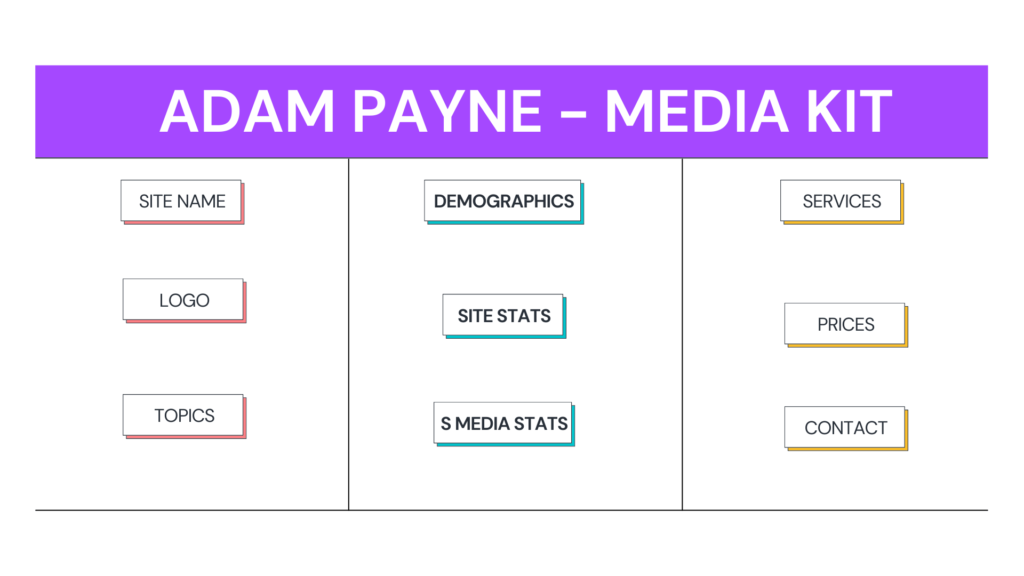
Section 1 – Website Information
A media kit for bloggers needs to include the right information.
The first thing to include is the name of your website.
This goes without saying and should probably include a tagline too if you have one.
An example:
Name: https://videomarketinginsider.com/
Tag Line: An A-Z of Video Marketing
Also add the topics your website writes about.
For these topics, you can check your WordPress categories and use them as a starting point.
Make this more personal by adding information about your blog and showing who the person is who writes those blog posts.
Mention your name and tell a little about yourself.
It doesn’t have to be a whole book, just a few sentences about who you are and why you write what you write.
That’s probably enough.
Section 2 – Data
A media kit for bloggers must have numbers.

We can split this into two main sections:
a) Website Stats
Brands will want to know what to anticipate from working with you, just like they would with any other business.
Stats may not provide a complete picture, but they can help gauge the size and reach of your audience.
Regarding which numbers to use, I advise the following if possible:
- your social networks
- email list size
- website views on a monthly basis
What about that single social media account with only 40 followers?
Just omit it if one of your social media followings is significantly lower than the others.

What if you’ve not blogged much before?
Although you might not have many fans to brag about, you most likely have some progress to share.
“The number of YouTube subscribers has grown 254% in the last 30 days.”
That indicates to a company that your site is on an upward trend.
b) Audience Demographics
You can give as much or as little information as your potential brand partner needs.
For example, let’s say you’re a blogger who writes about women’s fashion.
And you want to work with brands that focuses on accessories.
Then it might be helpful to know that more than 80% of your audience says they are “female.”
On the other hand, if you’re a blogger about tech and gadgets, you don’t need to say what gender your audience is because tech is for everyone!
Also, think about whether or not it makes sense to say how old your audience is or how much money they make.
If a piece of information isn’t needed, leave it out.
Also, you should be able to get demographic information about your audience from Google Analytics.
So make sure that your site has a Google Analytics tracking code.
Under Audience > Demographics in your Analytics dashboard, you can find information about your audience.
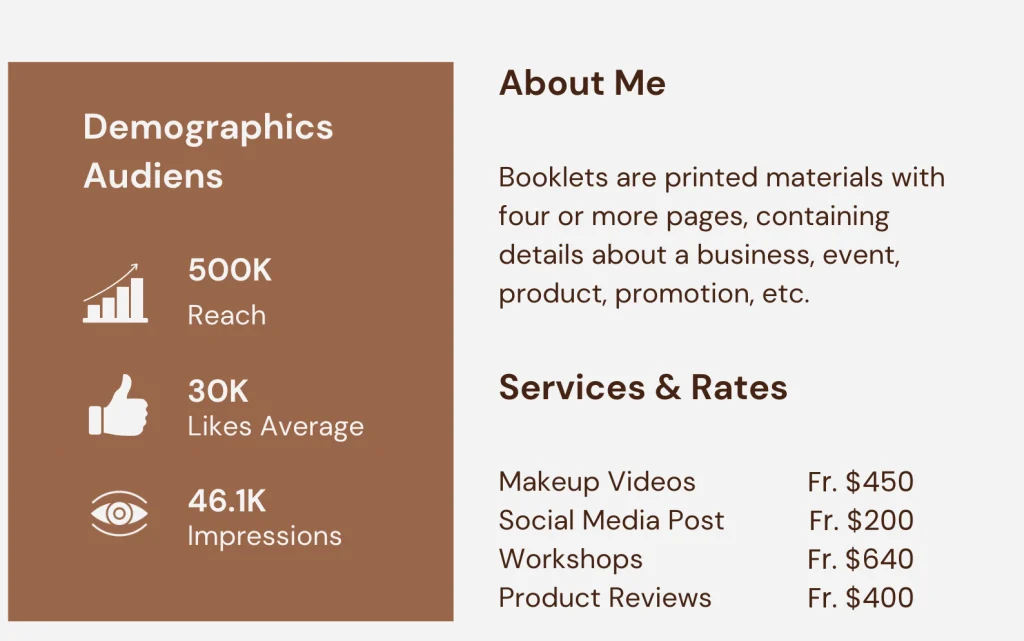
Section 3 – A List of Services
Here’s where you can list all the fun ways a brand can work with you:
- Sponsored Posts
- Giveaways
- Sidebar Ads
- Social Media Promotion
- Sponsored product Reviews
These are the basic choices.
You don’t have to offer all of these options in your services.
Just offer what you want to do.
If you can think of a unique way to market a brand that isn’t on this list, I encourage you to add it.
Brands want to market themselves in new and interesting ways.
You should also put prices next to each of these services so that the business can see which ones fit their budget.
Section 4 – Get in Touch
Other than that, how can someone try to communicate with you?
First and foremost, double check that you have added an email address, and if possible/needed, a phone number and physical address as well.

Oh, and one more thing.
Don’t forget to include the URL of your website; preferably in the footer of the media kit.
Designing a Media Kit
So, now you know what to include, you actually got to make the thing.
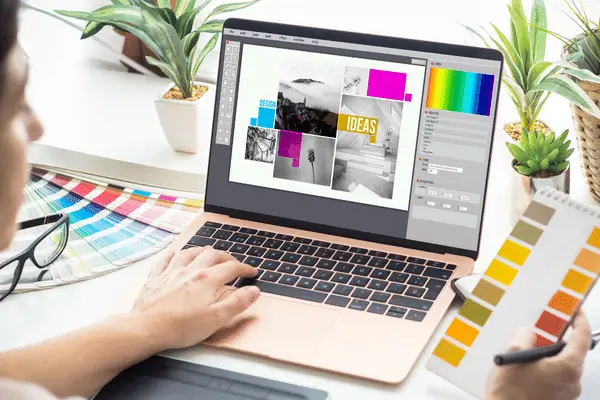
The first thing you need to do when creating a media kit is compile all of the relevant information.
I have already provided you with everything that you will require, so the next step that needs to be taken is to organize the data.
Put together a brief biography of yourself and a couple of paragraphs discussing your site in its entirety.

Gather all of the pertinent data from Google Analytics, your email marketing software, and any and all social platforms that are applicable.
As soon as you have gathered everything that you require, you can begin putting everything together and creating your media kit.
Details Regarding the Media Kit
- The standard dimensions for a media kit are US Letter (8.5 x 11 inches),
- A4 (21 x 29.7 cm),
- Horizontal presentation (1920 by 1080 px)
- Media kit format: PDF
- Ideal number of pages would be between two and ten.
There are two different approaches you can take when designing your media kit.
You have the option of grabbing a template and tailoring it to include elements of your brand and messages that are unique to you.
Alternately, you could start from scratch when designing the kit (yourself or hiring a freelancer).
Create a media kit by starting with a template
There is no need to start the design process from scratch when you use templates, which is a huge time saver.

Using templates to create your media kit is a fantastic idea, especially if you are pressed for time or if you aren’t particularly passionate about design.
You can get a media kit template from us here that you can edit in Canva.
Made The Media Kit – Now What?
Let’s take a look at some best practices surrounding media kits and sponsored content in general now that we’ve finished designing a media kit (or at least comprehending how to create one).
Should your media kit be made available to the public?
I’m not really aware of any successful company or bloggers who do this.
So, the short answer is “no,” you should not make a downloadable media kit available on your blog.

Why not?
A media kit is not a generic document that can be used for any purpose.
There is a good chance that you will adjust the prices and offers you make in accordance with the business that you decide to collaborate with.
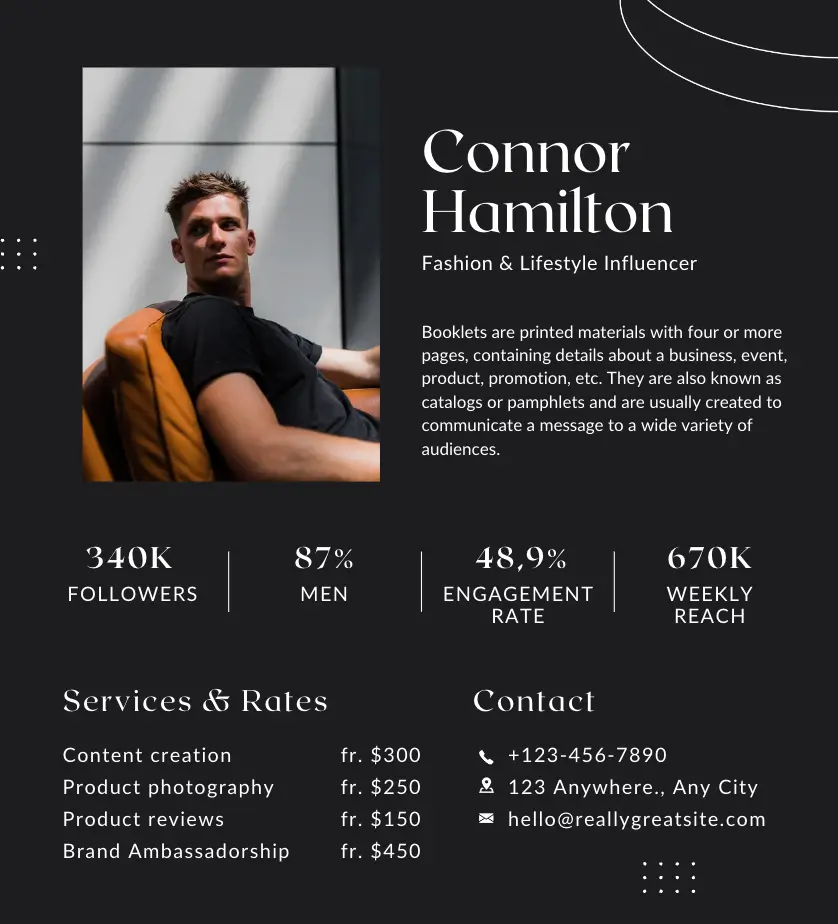
It’s possible that you’ll make the decision to charge a high-ticket client one thousand dollars for a sponsored blog post and social media package.
Or, you might decide to charge another company $75 as you have a great relationship with them and know they do not have deep pockets.
If you make your media kit available to the public, you will put yourself in a limiting position and leave yourself vulnerable to exploitation.
Smaller brands may not even approach you if they believe that you are too big and costly for them.
Do not, under any circumstances, make your media kit available to be downloaded by merely anybody.
Instead, you should make a separate page for potential sponsors. and add it to the menu of your website for easy access.
And you should mention that brands hoping for a partnership should email you for a media kit.
This is something you should do if blog or content sponsorship is a significant part of your efforts to monetize your website.
You will have the opportunity to conduct due diligence on the company in advance.
And this will give you the chance to adjust the scope of your collaboration offerings accordingly.
Before You Go
Now you know all about what to do if you want to
Grab our media kit for bloggers template.
We will email you a template that you can then import into your Canva account and edit as you wish.
Any questions, please reach out to us.
Cheers!