Books offer a great way to relax and gain new perspectives or knowledge at the same time.
Although many bookworms have a preference for paper books, many people are now embracing other formats.
While some reports state that ebooks are dying, others state that ebook sales are rising.
In February 2021, the American Association of Publishers stated that 15.4% of their revenue from sales was allocated to ebooks [1].
This was up from 14.3% in 2019.
Apart from ebooks, audiobooks are now the wave.
This format is growing at an even faster rate with sales revenue reaching 1.3 billion dollars in 2020 in the United States [2].
In 2018, this was at 940 million dollars.
Comparing the sales revenues of ebooks and audiobooks in 2019, we can see a major difference.
Ebook sales were at 983.3 million dollars while audiobooks were at 1.2 billion dollars [3].
Why Audiobooks?
Why are people buying more audiobooks?

Audiobooks offer a convenient way to enjoy your favourite books even while on the move.
For people who find it hard to sit for extended periods to read, audiobooks are the way to go.
Whether en-route work, doing dishes or laundry, you can plug in and listen to your favourite books.
If you’ve already purchased an ebook and are looking for a convenient way to enjoy it, you can convert it to audio format.
The methods we’ve shared below also save you some money since audiobooks are usually more expensive than ebooks.
This can help you avoid the double or triple cost you’d spend on an audiobook compared to the ebook [4].
Using InBuilt Features
You may not know this, but your phone has an inbuilt feature that allows you to repurpose your ebook into an audiobook.
This feature varies and depends on the type of device you’re using.
iPhone
If you use an iPhone, there are two main features in your settings that allow you to enable text to speech (TTS).
The first is Speech Screen.
Speak Screen
Speak Screen is an IOS feature that allows you to repurpose written text into audio format.
Whether it’s an ebook, your notes or even messages, this feature can read out text.
Below are the steps to enable this feature:
- Go to setting
- Select Accessibility
- Open ‘Spoken Content’
- Toggle on the ‘Speak Screen’ feature
After following these steps, you’re almost done.
The next step is to open the app that houses your ebook.
The Speak Screen feature works for PDF books, Kindle and other ebook formats.
- After opening your desired ebook, use two fingers to swipe down on the screen from top to bottom. You’ll notice a pop-up that has features like backward, pause, forward and close. At this point, your device will start reading the contents on the page. This feature will keep on reading the contents of the book till you tap the close button on the pop-up.
VoiceOver
VoiceOver is the second iPhone feature that enables document reading.
The steps to enable this are as follows:
- Go to settings
- Select Accessibility
- Open ‘VoiceOver’ and switch the toggle to ‘on’
The downside to VoiceOver is that it can be a little tricky to navigate.
The moment you switch on the feature, your iPhone starts reading everything on your screen.
It also becomes difficult to navigate since the feature changes your regular touch commands.
To avoid this confusion, first, open your ebook app then use the ‘Ask Siri’ feature to ‘turn on VoiceOver’.
Then, swipe downwards with two fingers to enable reading.
Android Phones
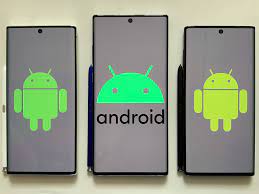
If you use an Android phone, you can use the Google Text-to-Speech feature.
This is the screen reader application that Google developed for Android.
The functionalities are similar to the iPhone feature as it reads texts aloud to you.
To enable Google Text-to-Speech:
- Go to settings
- Open Accessibility
- Tap ‘Select to Speak’ and turn it on by switching the toggle
- Open your ebook reader and locate the Select to Speak icon at the bottom corner of your screen. The icon varies depending on the type of Android device you use
- Tap the play button to begin listening to your book
Using External Applications
Apart from inbuilt features, you can also use an audiobook or text-to-speech application to repurpose your ebooks into audiobooks.
Sometimes, you may desire the sound of natural voices compared to the ‘robotic’ tones of some inbuilt features.
There are several free and paid applications that allow you to convert written text into audio.
Some of these applications include:
NaturalReader
NaturalReader is a text-to-speech software with vast features.
You have the option to download the application (for both IOS and Android) or use it online.
There’s also the option to add the software to Chrome.
NaturalReader has both free and paid versions.
The paid version has additional features like the ability to convert your document to MP3.
Voice Dream
Voice Dream is another powerful text-to-speech software.

It’s available on the Apple Store with Legere Reader being the Android reader for Voice Dream.
This application allows you to select from a variety of voices and choose from several file types.
It has features such as synchronized highlighting, audio controls and a sleep timer.
There are different text-to-speech software and applications out there and these are just a few.
Start Listening
Repurposing your ebooks into audiobooks is a great way to enjoy your books on the go.
If you’re tired of staring at your phone screen to read, then this is a good alternative for you.
Also, this saves you quite some money compared to freshly purchasing audiobooks.
Different Ways to Repurpose an Ebook
Now we’ve looked at the different tools and softwares to help you, let’s focus on some other ways you can repurpose content.
Turn it into a blog post
Ebooks are great digital downloads, but they can’t drive organic traffic to your website by themselves.
When you gate them behind a form or checkout page on the site, their SEO potential is limited.
To turn an ebook into search engine-friendly content for your website.
Cut it up and publish short excerpts as blog posts optimized with keywords related to that book’s topic (for example “SEO” if you’re writing about backlinks).
But don’t stop at turning ebooks into blogs.
It could be a match made in heaven!
Ebook readers will love being able to read snippets of long articles without having to wait until those contents come out online first.
Ebook Content to a Webinar
No matter if you’re a seasoned entrepreneur or just starting up, there are plenty of benefits to hosting your own webinar.
They may be the perfect solution for those who want to share valuable information without creating an entire online course and make it easy on themselves by developing their slide deck using one of three popular tools like:
- Google Slides
- PowerPoint (for Mac users)
- Keynote
No need to worry about technical difficulties since all slides will display simultaneously in real-time with live Q&A from viewers during the event!
Be sure that visuals on each slideshow page are clear and concise as well as avoid having any big blocks of text.
This keeps everything simple yet engaging!
Lastly, don’t forget incorporating brand colors/fonts/
Make Your Ebook a Video
When you have an ebook to translate into a video script, don’t panic.
There are lots of ways to do it that can make the process more enjoyable and less daunting.
Here’s how:
1) Start with what makes your content unique and interesting rather than just reading from the book out loud or speaking in monotone voice – add elements like asides, humor remarks, pauses for effect etc.;
2) Let people know who is talking by using “I” instead of simply stating facts;
3) Use visuals (footage/images), but only if they’re relevant so viewers will understand them better when watching on their screens;
4 ) Bring readers along step-by-step
Infographics
It’s no secret that infographics are one of the most popular forms of content.
They’re a great way to turn your data-heavy or complex ebook into something more interesting, creative and engaging for readers.
Plus they can be used as an awesome marketing tool.
Infographic images get shared on social media three times more than any other type with much higher engagement rates.
In fact, people following directions illustrated with text do better than those without illustrations
Summary
There are several ways you can repurpose an ebook into a piece of content.
And as we have shown, there are a plethora of tools to help you create quality content.
Do not just assume that your old content is no longer valuable.
By following the tips in this article, repurposing ebooks into new content can breathe new life into your marketing and help you reach a new audience to boot.
It can also help grow your email list.
And add to your content marketing strategy.
The same methods can even be used for individual blog posts to provide more valuable content to your audience.
If you need some resources, then check out our free PLR pack where we provide a large number of ebooks along with article and video packs and more to give you ideas for your content marketing.