

My Koala AI review covers the pros and cons of this tool for creating long form written content.
You need to update your website, but you don’t have the budget to pay for a freelance writer.
What’s more, you can’t dedicate hours each week to investigating, writing, and editing several blog pieces.
So, what do you do?
Say hello to Koala.
Koala is a long-form content generating AI, analogous to OpenAI.
In a matter of seconds, you can have a 2000-word piece ready to go.
You can publish your content after multiple rounds of editing and proofreading.
Let’s delve a little deeper into Koala AI and the ways it can help you write more efficiently.
I’ll also share my thoughts about Koala, including the benefits and drawbacks I’ve seen while using it in this Koala AI review.
AI Content 101
Even though AI-generated content has been there for a while, I’ve always spent too much time editing it up until lately to justify the effort.
If you have ever tried to write long form content on Open AI’s platform, then you are always having to tell it to ‘please continue’.
In addition, many of the templates sound good but never seem to do the job properly.
Instead I used Chat GPT on Open AI to create basic video scripts, customer avatars for paid traffic and other things apart from actual articles.
Koala Writer, an artificial intelligence content generator, has changed all that.

I’ve been using it for months now, and now I’m ready to write down my opinions on it.
There is no shortage of artificial intelligence-powered content creation tools.
An in this review I’ll explain why I consider Koala Writer to be among the best available.
What is Koala?
At it’s core, Koala is a long form AI writer.
And it is two tools in one.
Koala Writer is an AI writer that focuses on SEO, and Koala Chat is a chatbot akin to Chat GPT
With any Koala plan, you get both.
Koala Writer is a great piece of software that uses OpenAI but is better than ChatGPT4 when it comes to making content and optimizing it for SEO.
Its main purpose is to make SEO-optimized articles that are ready to share with just one click.
Before it actually write the article, you can get it to provide an outline.
This outline can be added too.
You can also get it to create an FAQ section, a key takeaways section and more
It’s for anyone interested in SEO and making niche sites.
It saves a lot of time and money because the results are usually of good quality and ready to be published.
Koala Writer Review
I came across Koala AI via an email I got , and decided to check it out.
I was not 100% sure but decided to try it out and got a plan that allowed 100,000 words per month.
I figured give it 2-3 months.
Learn it, use it properly and see.
I know that I will not be quitting this plan as its too valuable.
However, as you no doubt know, Chat GPT is readily available to us all.
So, why get Koala AI?
Well, Koala is a perfect fit for niche site owners like myself.
ChatGPT makes ok content, but it’s not ready for a blog.
Koala solves this problem by putting out content that has an intro, well-developed topics, subheadings, etc.,
So, that the pieces you get are strong. I don’t know what the secret code is, but it works very well.
Here’s what I mean:
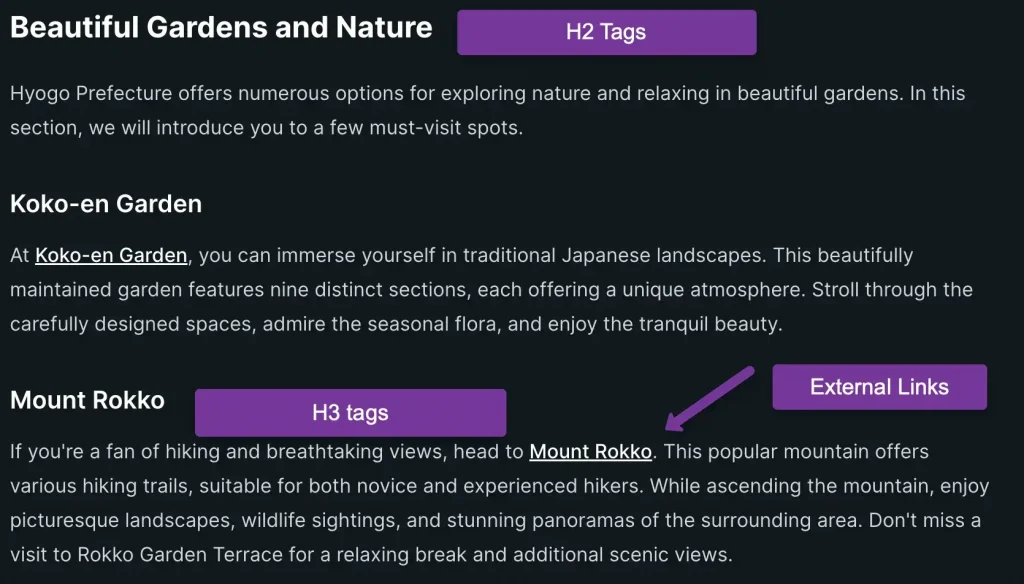
The articles are arranged how you would want them.
Into relevant sections with H2 and H3 tags.
But there is more.
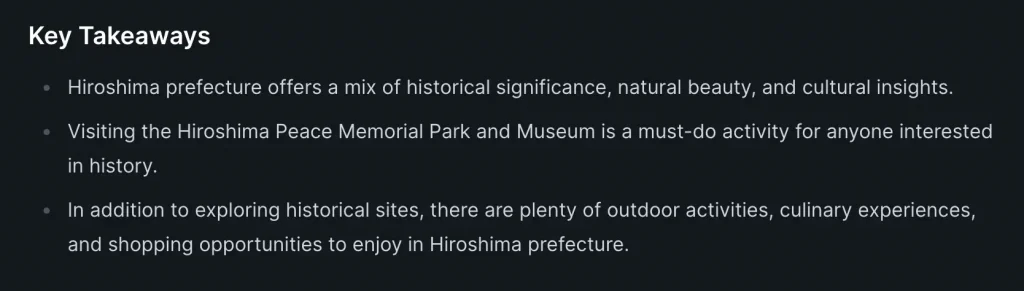
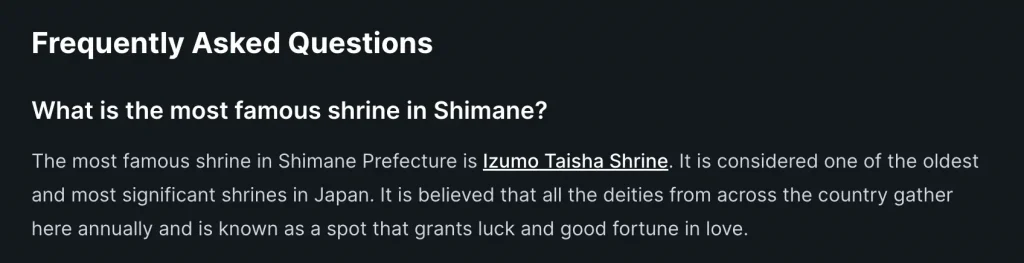
If you want, you can have Koala create a key takeaways section.
And even an FAQ section too at the end of your article.
KoalaWriter “THINKS” like an editor with an eye for SEO, while ChatGPT is a general-purpose writer.
It does automatically what you would have to ask a writer to ask about over and over again.
What’s more, Koala can even create tables as part of your article.
Try Koala for FREE here.
SEO Optimized Articles
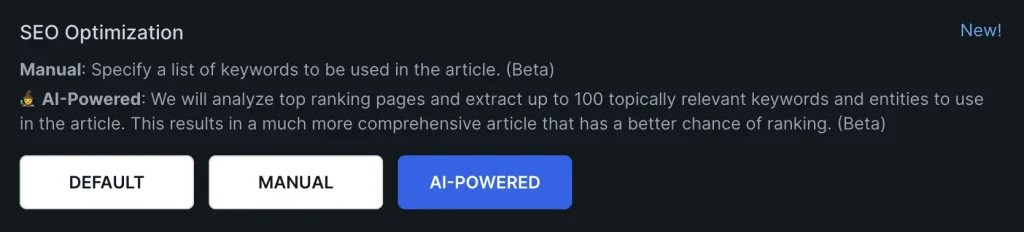
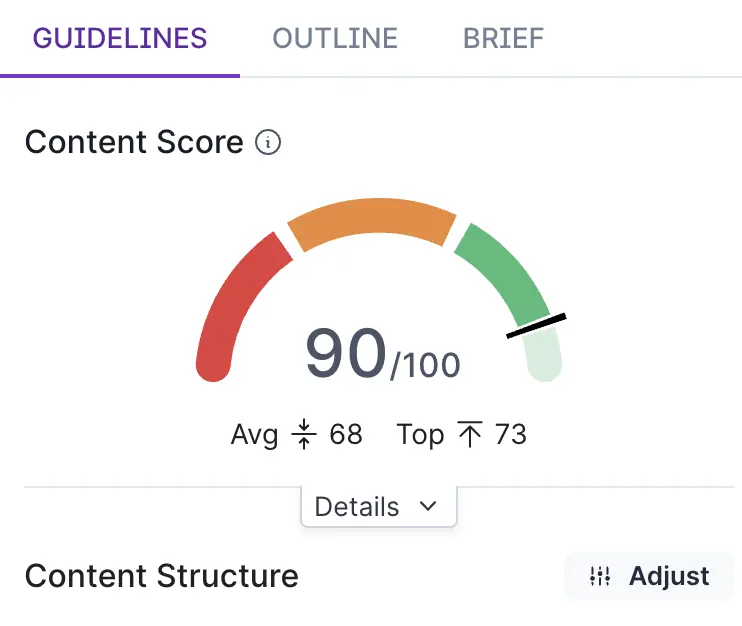
Before Koala writes your article, you have an SEO optimization option.
If you choose AI powered, then it will analyze the top ranking pages for your keyword to create a super comprehensive article.
I’ve had articles of close to 5000 words created that are well optimized.
All I do personally is add them to Surfer SEO and from there, a few manual edits such as word choice changes.
But it takes 5 minutes as the article is already close to perfect.
Publish to WordPress Directly
If you want to, you can connect Koala to your website and publish directly.
You can connect multiple sites as well.
Writing the article is one thing, but getting it ready top publish is another.
All you really need to do is add images and do some internal linking and you’ll be ready to go.
Up to Date
As you know, Chat GPTs data only goes up to 2021.
For many niches, this is simply not good enough as readers need up to date information.

With Koala, just flip the switch and it pulls in the most up to date facts and data from the internet.
This is huge.
You Control The Process
Koala AI will provide an outline of the article for you prior o writing it.
But, as a subject matter expert, you might want to add to it and have more control.
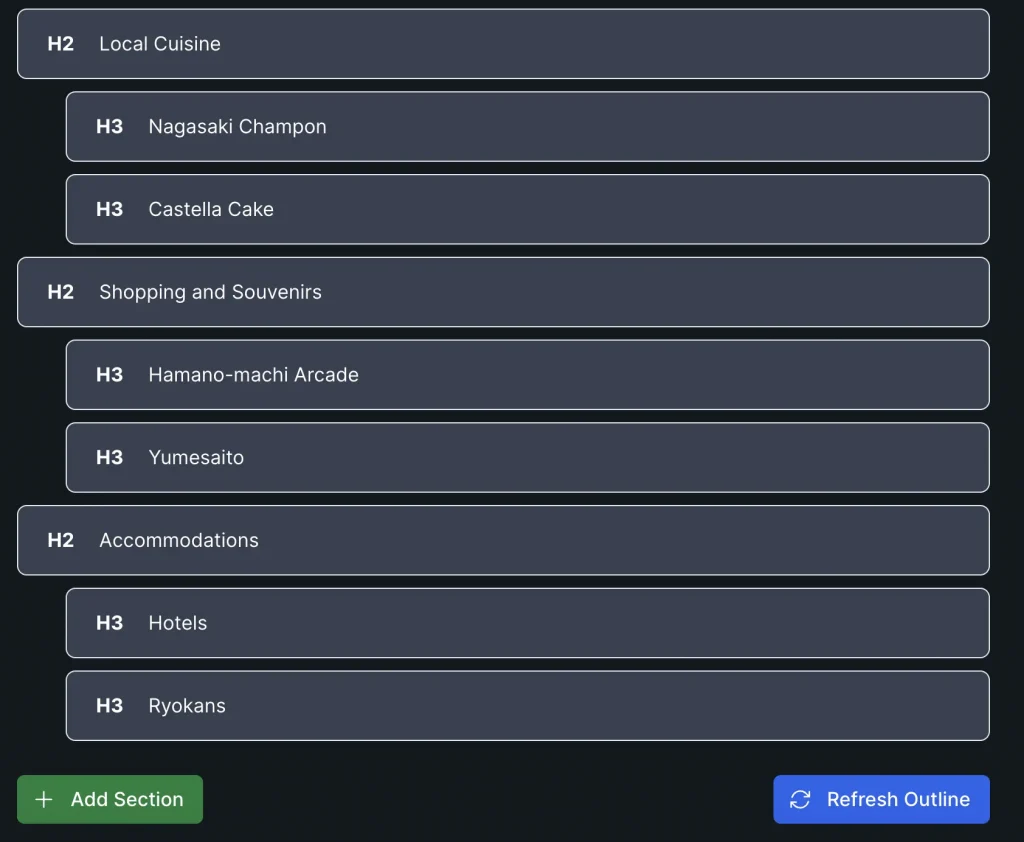
Thankfully, you can do just that and make your outline bigger, smaller or change it up completely.
Adding Your Own Voice
We all write differently and one thing AI cannot do is write exactly like you do.
So you may want to add your own intro or before you go section.
That said, you can change up the tone of voice in Koala.
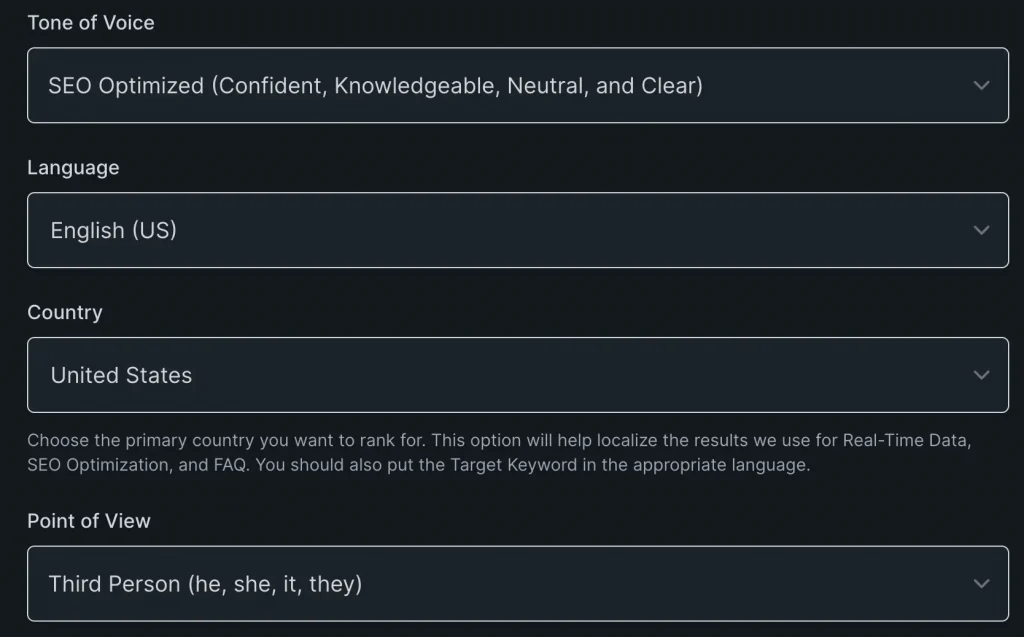
My personal favourites here are to change the point of view to the second person and leave it as SEO optimized.
You also have a ton of languages so if you do not write in English this is still ok.
Output Customization
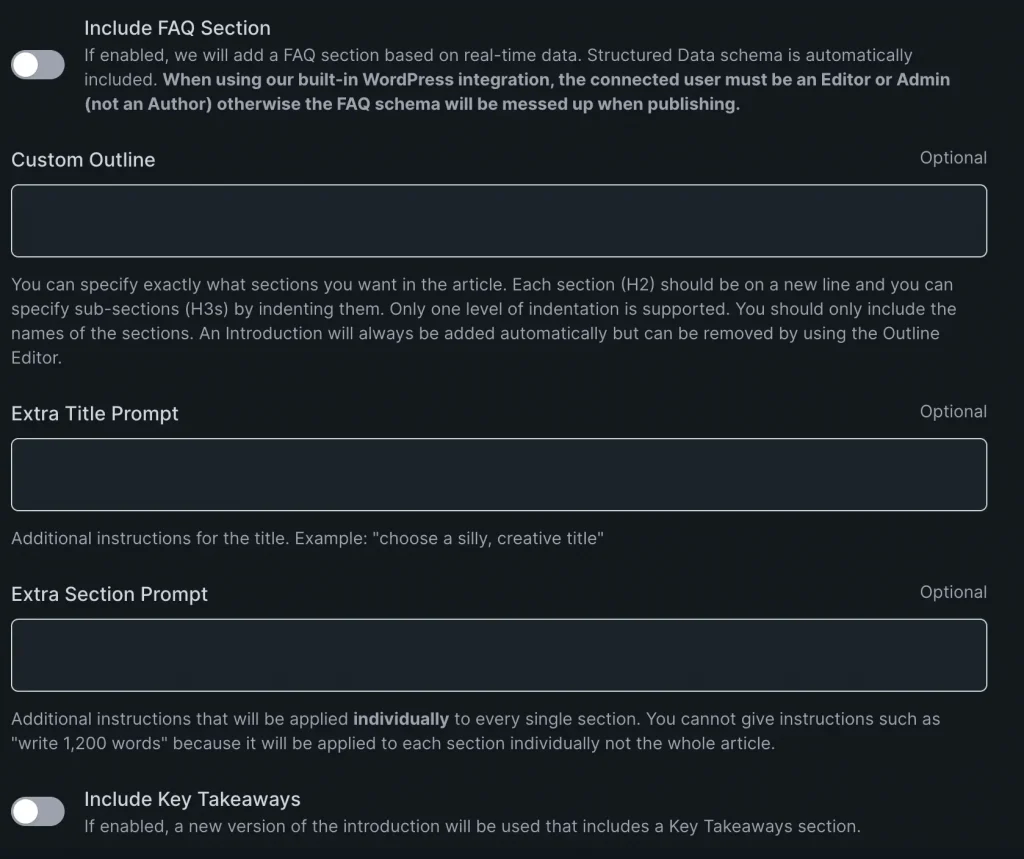
In the advanced section, you can add different prompts.
One prompt I add is to use the active voice.
You also have the option to add an FAQ or key takeaways section.
Pricing
Here is a table of Koala AI’s pricing as of today:
| Plan Name | Monthly Price | Monthly Word Limit |
| Essentials | $9 | 15,000 |
| Starter | $25 | 45,000 |
| Pro | $49 | 100,000 |
| Boost | $99 | 250,000 |
| Growth | $179 | 500,000 |
| Elite | $350 | 1,000,000 |
I am currently on the pro plan and to be honest, I use my allowance quickly.
So I am considering upgrading to boost.
Still, the fact that you can start for $9 per month is pretty cool.
Koala Walkthrough Video
Koala Chat
In the video, I said i did not use Koala chat.
Now, I do a bit to get extra ideas and to leverage image creation.
Can Koala Create Images?
Images are a vital part of a blog post and luckily, you can create images using Koala Chat.
Simply add this prompt: /dream
Then begin typing.
Here’s an example of one funny prompt I gave it: /dream koala in an internet cafe with traditional Japanese surroundings
The result was this image.

After all, we all need a picture of a koala on a laptop.
Note: To make your images optimised, turn them from PNGs or Jpegs into WebPs.
Alternatives to Koala Writer?
There are a lot of AI writing tools out there.
Surfer has one but it is too expensive in my opinion and so I only use Surfer for optimizatin, not for its AI writer.
Koala has, in my opinion, rendered tools like Jarvis obsolete.
What About PLR Content?
You might find it odd I am touting Koala AI as a PLR seller.
Well, I think they go hand in hand as opposed to being one or another.
Plus we create and sell PLR content in many forms such as:
- Videos – Landscape and square
- PDFs
- Emails
- Rolodexes
- Avatars
- Ebooks
- Images
- Articles
- Landing Pages
- Keyword Packs
- Audios
- Scripts
Most of the above you cannot do with Koala AI.
What’s more, you can use Koala to create additional articles to your PLR content.
And in some niches, there is simply no good quality PLR available.
And in that case, Koala comes in handy.
Before You Go
There is no way you could get a human writer at this cost.
And while we love PLR here, there are some niches that you cannot find enough good quality content on.
And that’s where Koala AI does a great job.
I have tried to present a non biased Koala AI review but I love it so much, it’s hard to find any weaknesses.